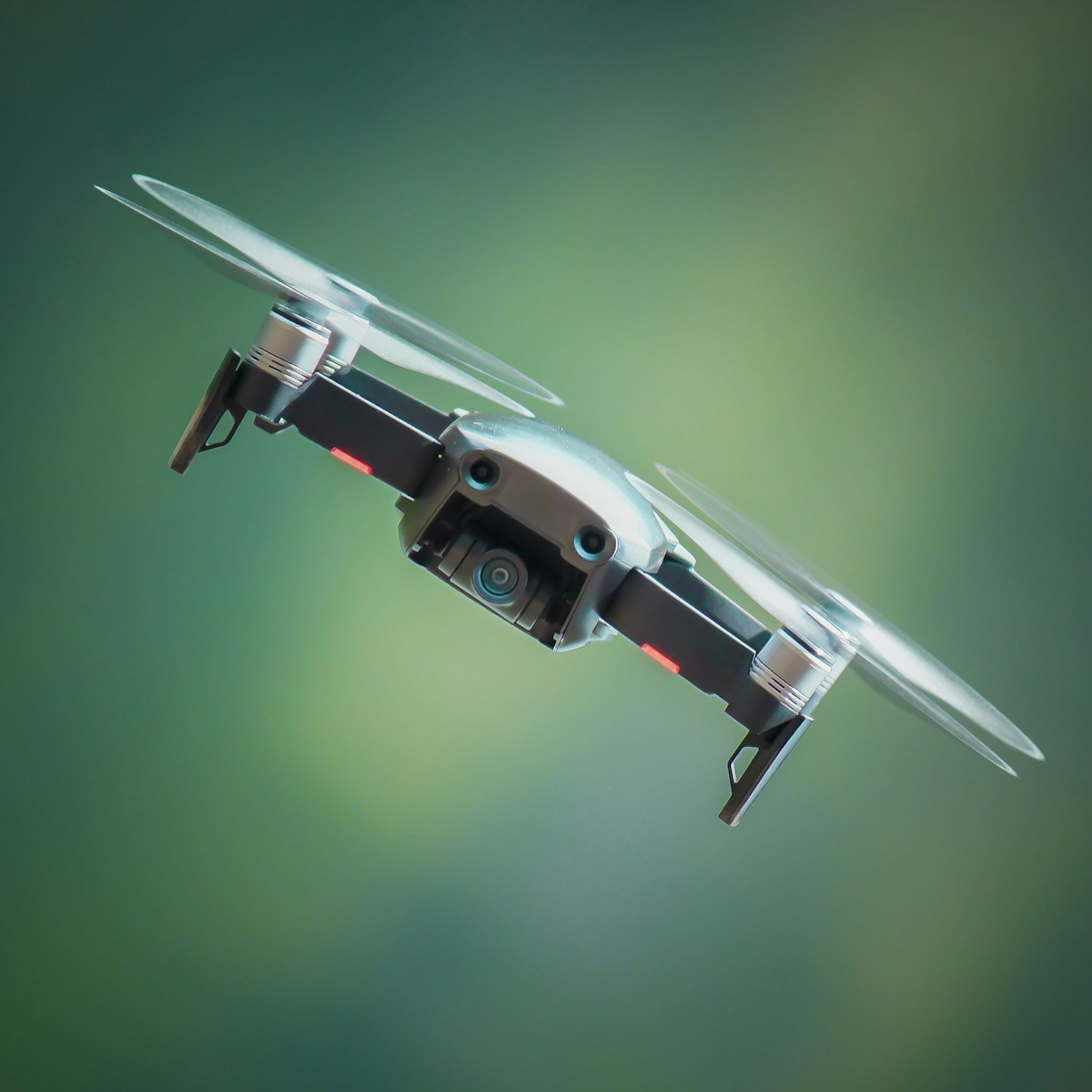
Getting Started with FLYQ: Complete Beginners Guide
Welcome to the FLYQ Family!
Congratulations on your new FLYQ drone! Whether youve chosen the Mini SE, Air 2, or Pro 3, youre about to enter an exciting world of aerial photography and exploration. This comprehensive guide will take you from unboxing to confident pilot.
Whats in the Box
Your FLYQ package includes: the drone, intelligent flight battery, remote controller, charging cables and adapters, spare propellers (2 sets), propeller guards (beginner-friendly), gimbal protector (remove before flight!), quick start guide, and regulatory information.
Pre-Flight Setup (30 minutes)
1. Charge Everything
Before your first flight, fully charge the drone battery (90 minutes), controller battery (120 minutes), and mobile device. Never fly with low batteries—youll be tempted to rush, leading to mistakes.
2. Download the FLYQ App
Available on iOS App Store and Google Play Store. The app is required for flight, camera control, and accessing intelligent features. Create your FLYQ account to unlock firmware updates and cloud storage.
3. Firmware Updates
Upon first connection, the app will prompt for firmware updates. These are critical for safety and performance—never skip updates. The process takes 15-30 minutes; ensure stable Wi-Fi and keep devices connected throughout.
Understanding Your Controller
Left Stick: Throttle (up/down) and Yaw (rotation). Right Stick: Pitch (forward/back) and Roll (left/right). Top buttons: Return to Home (left) and Pause (right). Gimbal dial: Camera tilt. Photo/Video buttons on the right shoulder.
Safety First: Pre-Flight Checklist
✓ Check weather: winds below 15 mph, no precipitation, good visibility
✓ Choose legal flying location: away from airports, below 400 feet altitude
✓ Inspect drone: propellers secure, no cracks, gimbal protector removed
✓ Check battery levels: drone and controller above 50%
✓ Confirm GPS signal: wait for 10+ satellites before takeoff
✓ Set Return to Home altitude: 30m minimum, higher if obstacles present
Your First Flight (Start Simple!)
Takeoff
In an open area at least 30 feet from obstacles, place the drone on level ground. Open the FLYQ app and tap "Prepare for Takeoff." When prompted, swipe to confirm. The drone will spin propellers briefly (self-check) then lift to 1.2m (4 feet) and hover automatically.
Basic Movements
Start with gentle inputs. Push the left stick up slowly—the drone climbs. Down—it descends. Left/right on the left stick rotates the drone. The right stick moves the drone forward, back, left, and right. Practice hovering first, then try simple square patterns.
Landing
Bring the drone close to your starting position, 3-5 feet altitude. Pull the left stick down slowly until the drone touches down. The motors will stop automatically. Or simply press the Return to Home button—the drone flies back and lands autonomously.
Understanding Flight Modes
Position Mode (P-Mode): Default mode. GPS stabilization keeps the drone in place when you release the sticks. Ideal for beginners and precise framing.
Sport Mode (S-Mode): Increased speed and agility. Disables obstacle sensors. For experienced pilots only.
Cinematic Mode (C-Mode): Slowed movements for smooth, professional footage. Perfect for learning camera work.
Camera Basics
Tap the camera icon to access settings. Start with Auto mode, which handles exposure, ISO, and shutter speed. As you gain confidence, try Manual mode for creative control. Practice gimbal control—the dial tilts the camera from straight ahead (0°) to straight down (90°). Smooth gimbal movements are key to professional-looking videos.
Intelligent Flight Features
Once comfortable with manual flight, explore intelligent modes:
QuickShots: Pre-programmed cinematic movements (Dronie, Orbit, Helix).
ActiveTrack: Draw a box around a subject—the drone follows automatically.
Point of Interest: Circle around a subject at constant radius.
Waypoints: Program a flight path; the drone follows it precisely.
Common Beginner Mistakes (and How to Avoid Them)
1. Flying without GPS lock: Always wait for "Ready to Fly (GPS)" message.
2. Forgetting gimbal protector: Remove before flight or youll get gimbal errors.
3. Flying in high winds: Check weather; if trees are swaying heavily, dont fly.
4. Ignoring low battery warnings: Return immediately when prompted.
5. Flying beyond visual line of sight: Always maintain visual contact with your drone.
Maintenance and Care
After each flight session: wipe down the drone with a microfiber cloth, inspect propellers for nicks or cracks (replace if damaged), check gimbal for free movement, and let batteries cool before charging. Store batteries at 50% charge for long-term storage (the app can auto-discharge them).
Building Your Skills
Week 1-2: Focus on basic flight, hovering, and landing accuracy.
Week 3-4: Practice camera movements while flying (orbit around objects).
Month 2: Try intelligent flight modes and shoot your first planned sequences.
Month 3+: Experiment with manual settings, different times of day, and storytelling through aerial video.
Join the Community
Visit forums.flyq.com to connect with other pilots, share your work, and learn from experienced aerial photographers. Follow @FLYQAir on Instagram for daily inspiration and tutorials.
Legal Considerations
In the US: Register drones over 0.55 lbs with the FAA ($5, valid 3 years). Pass the TRUST test (free online, 30 minutes) for recreational flying. For commercial work, obtain Part 107 certification. Always follow local regulations—the FLYQ app shows no-fly zones and restricted areas.
Getting Help
Check our video tutorial library at flyq.com/learn. Contact support through the app (Settings → Help → Chat Support) for technical issues. Join beginner group flights in your area through the FLYQ Community tab.
Final Thoughts
Learning to fly takes time—be patient with yourself. Every expert pilot started exactly where you are. Fly regularly (even 10 minutes daily), prioritize safety over getting "the shot," and most importantly, have fun! The aerial perspective opens up an entirely new way of seeing the world. Welcome to the sky.